
For wedding venues
Wedding venue software for dates, tours and the day itself.
Wedding Day is wedding venue software built around your dates: a calendar for each space, holds that expire on their own, tours couples book from your website, room layouts, vendor rules and insurance, and the wedding day itself. It is made for weddings only, so the couple, their planner and their vendors work in it with you.
14 days free, no card. Then $45.99/month, everything included.
Why venues switch
Your dates, kept straight.
Holds that look after themselves
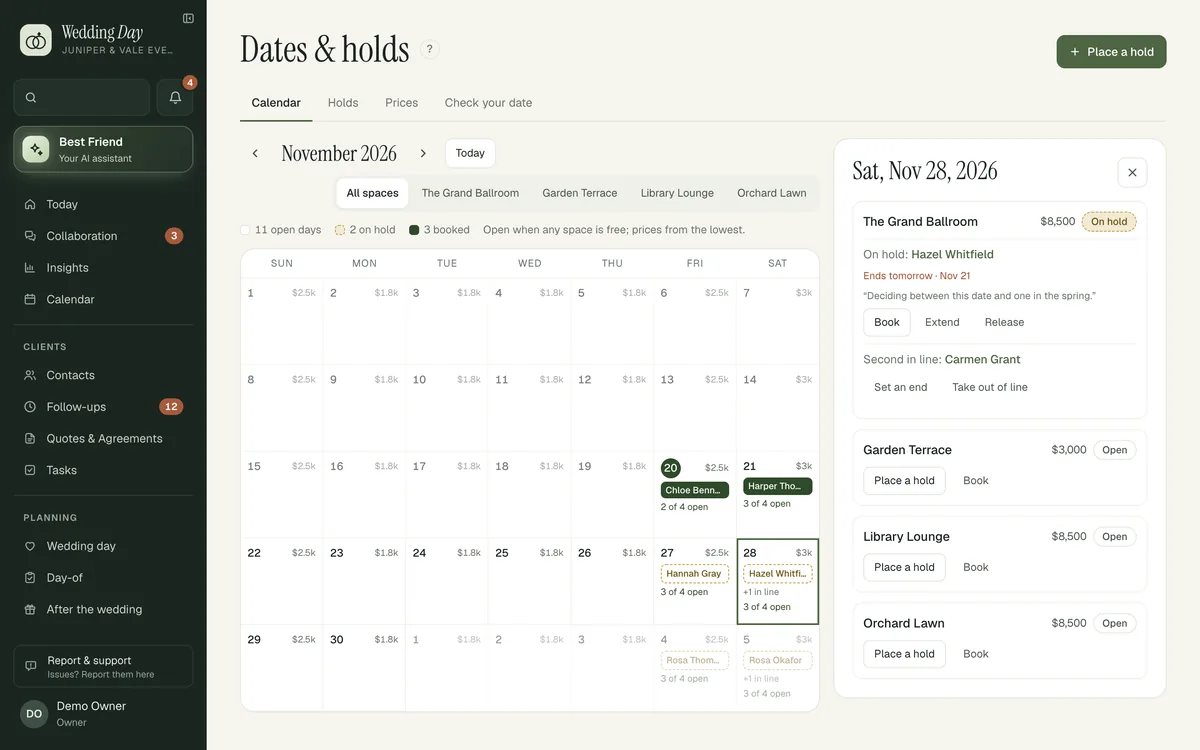
A hold ends on its own after a reminder, and a second couple can wait in line. When the date frees up, the next couple moves up and you’re told to offer it to them.
Couples check dates on your site
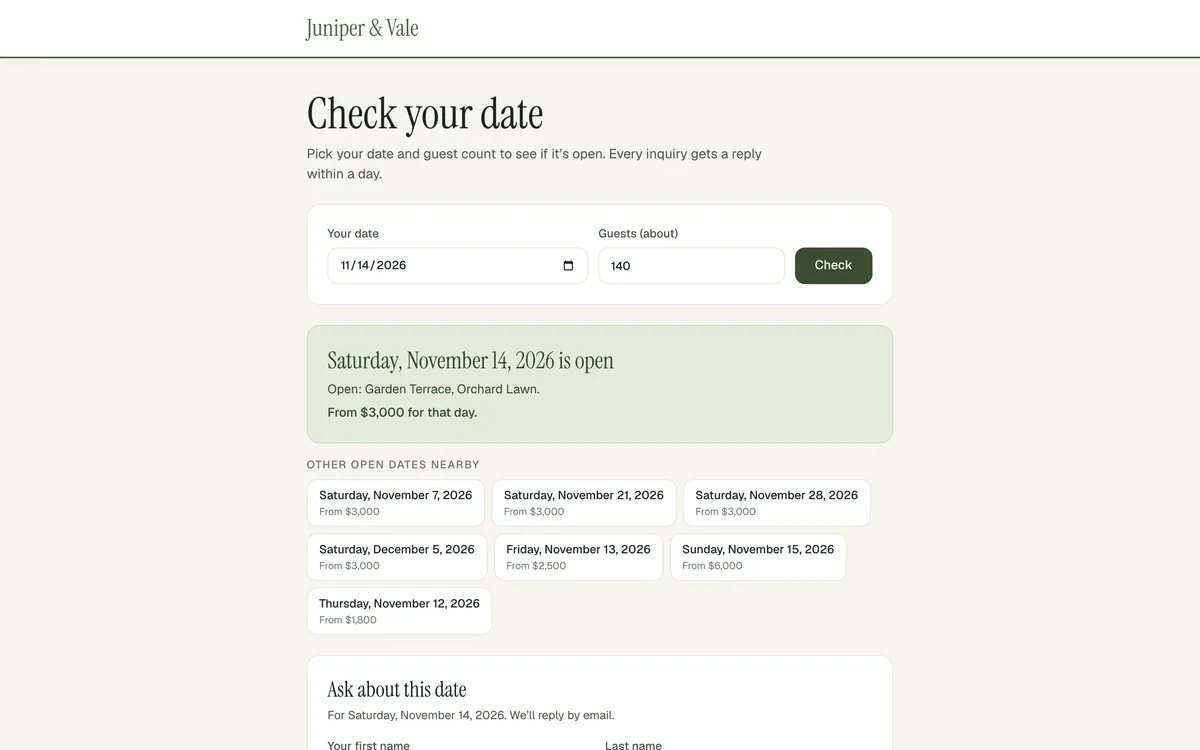
Put Check your date and Book a tour on your website. Couples see Open, On hold or Booked (never anyone’s name) and book a tour at times you’re open; each lands in Wedding Day as a contact.
Everyone on one plan
Couples join free and seat their guests on your room layout. Planners make the changes you allow, and every vendor accepts your rules and sends insurance before the day.
Dates & holds
Your calendar, on your website
Each space has its own calendar of Booked, On hold and Open dates, with the price for that day. Turn on Check your date and put its link or snippet on your site: couples enter a date and guest count and see which spaces are open, your price if you show it, and other open dates nearby.
- Holds expire after a reminder, and one couple can wait second in line
- Prices by day of the week and by season, added to a quote in one click
- An inquiry from the page arrives as a contact with the date and guest count
Tours
Tours booked from your website
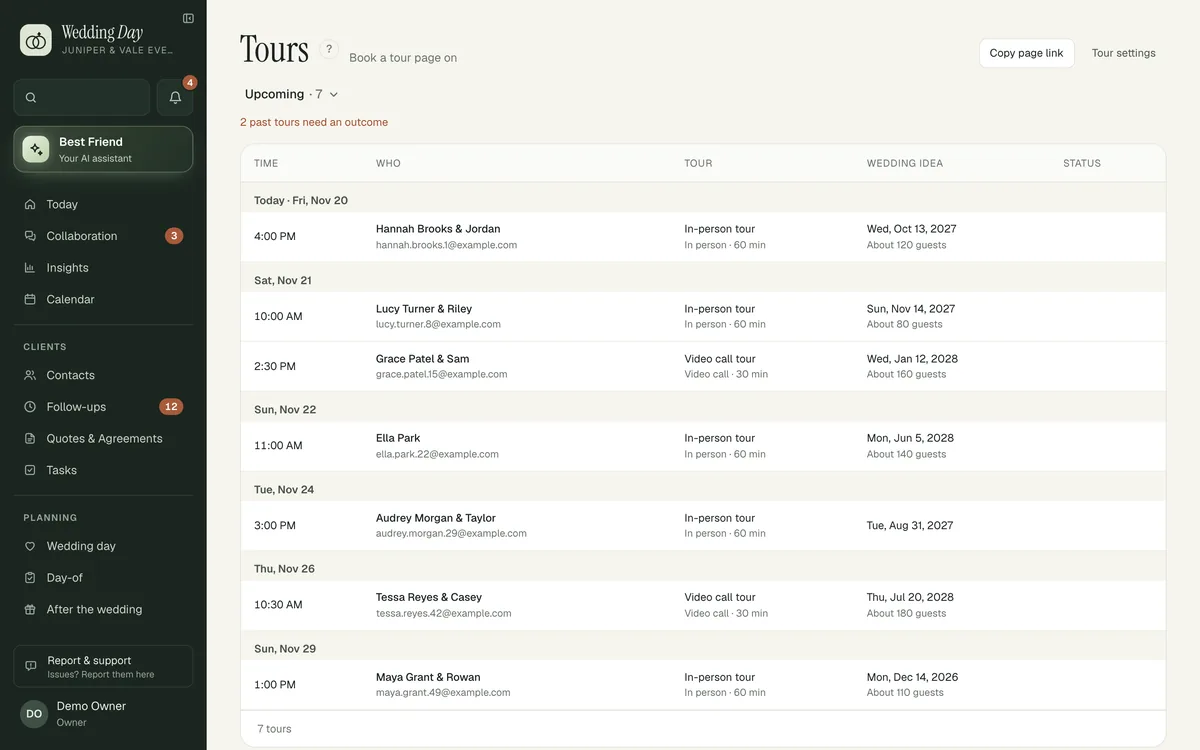
Offer in-person and video-call tours with your own hours, buffers and notice. Each booking adds the contact, a calendar event and a follow-up task, gives the couple a link to reschedule or cancel, and reminds your team on their phones before it starts.
- Days with a wedding are closed to tours unless you open them
- Record how each tour went: booked, not booked or a no-show
Spaces & floor plans
Draw each room once
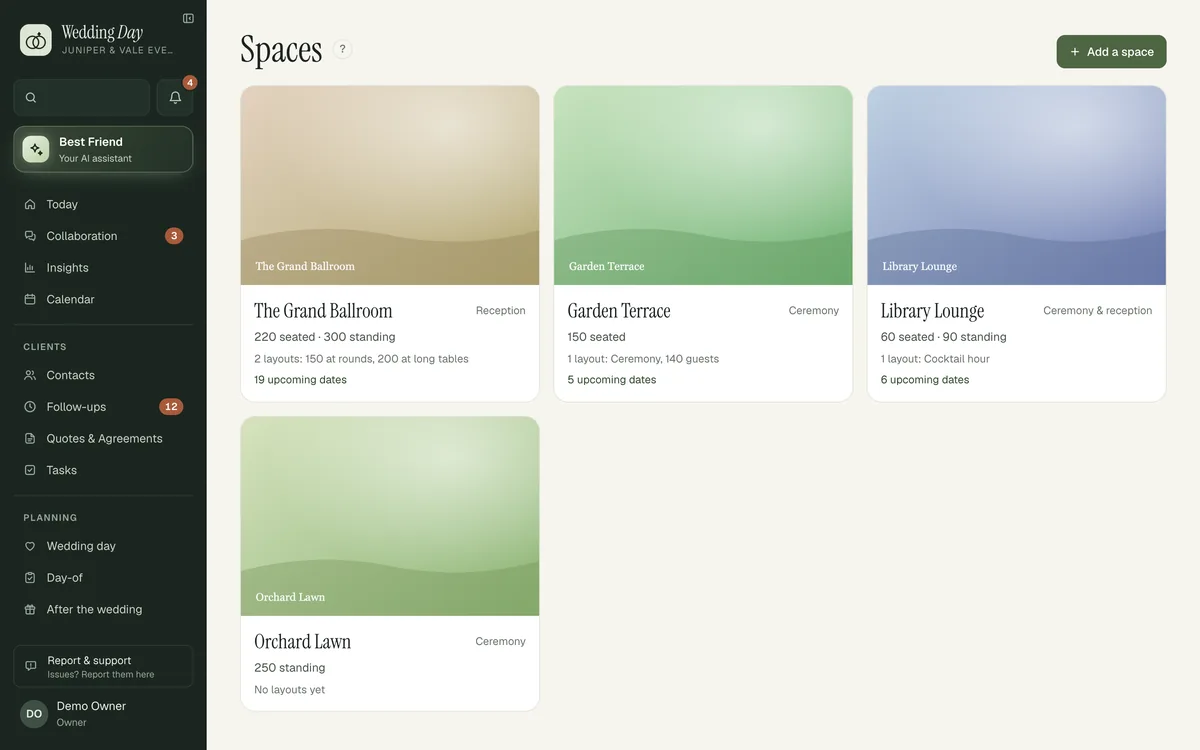
List each space with its seated and standing capacity and its photos, and save its usual layouts. A couple’s floor plan starts from the space and layout they chose: you lead the room, the couple seats their guests, and planners change only what you allow.
- Up to 20 saved layouts per space
- Check your date offers only the spaces that fit the guest count
- A clean PDF of the plan for your setup crew
Vendor hub
Every vendor, on your terms
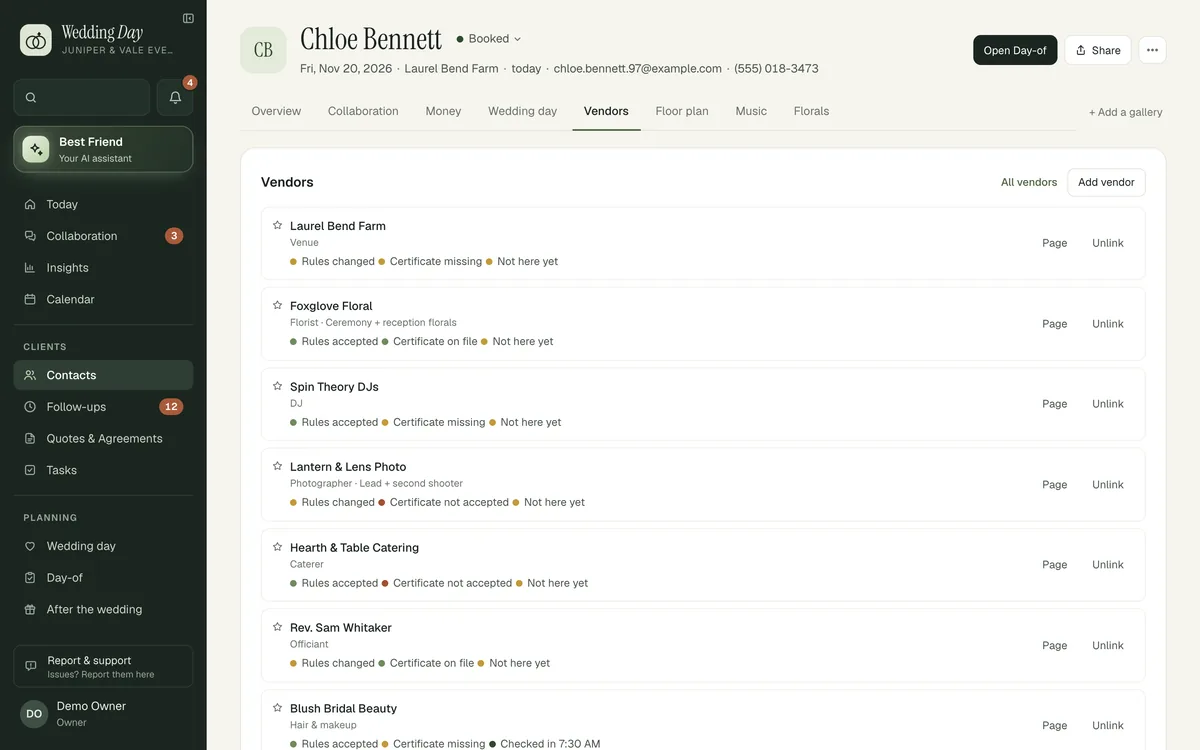
Write your own rules for vendors and the insurance coverage you require. Each vendor accepts the rules for each wedding, uploads a certificate and signs your vendor agreement once a year. An expired certificate flags the vendor; it never blocks anything.
- Your preferred vendors, shown to your couples
- One view per wedding of every vendor’s call time, paperwork and check-in
Catering & the day
Your kitchen, and the run of show
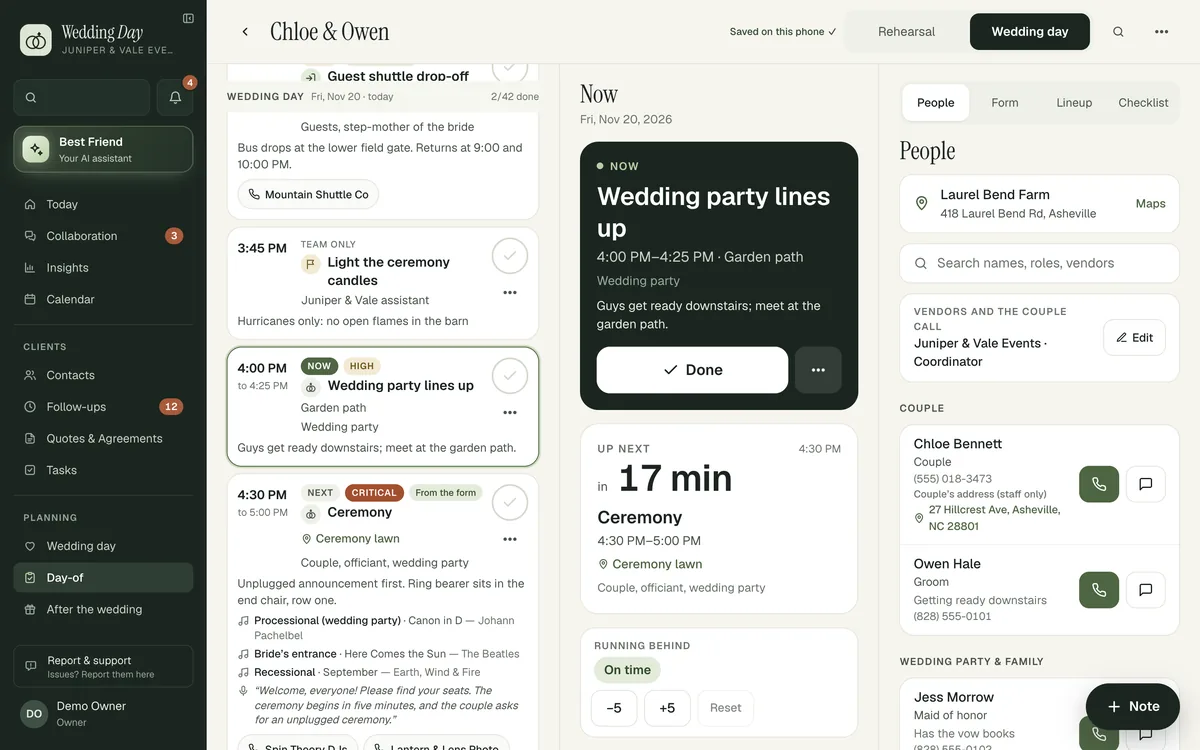
If you cater, the venue form adds your menu, bar, counts and tasting, couples pick each guest’s meal, and the kitchen gets a sheet with dietary needs by table (catering in Wedding Day). On the day, the Day-of console runs the timeline, delays and vendor check-ins.
One plan
$45.99/month
Every feature, up to 5 team members. 14 days free, no card. Cancel anytime.
Questions venues ask
What does wedding venue software do?
It keeps your dates, inquiries and events in one place: which spaces are booked or held, tours, quotes and agreements, payment schedules, room layouts and the vendors coming in. Wedding Day adds the couple’s own free account, so their seating and guest count come from them.
What is the best CRM for a wedding venue?
One that knows your dates. Look for holds that expire, a second couple in line, prices by day and season, tour booking and vendor insurance. Wedding Day has all of them for $45.99 a month, with up to 5 people. Comparing? See Tripleseat alternatives.
Can couples check my availability from my website?
Yes. Turn on Check your date and add its link or snippet to your site. Couples enter a date and guest count and see whether a space is open, on hold or booked, your price if you choose to show it, and nearby open dates. Nobody else’s name or details are shown.
Can couples book a venue tour online?
Yes, from your Book a tour page, in person or by video call, at the hours you set. They get a confirmation for their calendar and a link to reschedule or cancel; you get the contact, the event and a follow-up.
Does it handle in-house catering?
Yes. A venue that caters gets the venue’s wedding day form with menu, bar, counts and tasting sections, meal choices per guest and a printable kitchen sheet. See Wedding Day for caterers.
Updated