
For wedding DJs and bands
The DJ CRM with the music plan built in.
Wedding Day is a DJ CRM with wedding music planning built in: quotes and agreements both partners sign online and payment schedules, then the couple’s must-play and do-not-play lists, guest requests, a song for every moment and an MC sheet with every name spelled the way it’s said. It works for bands too.
14 days free, no card. Then $45.99/month, everything included.
Why DJs & bands switch
Bookings and music, in one place.
The couple plans the music
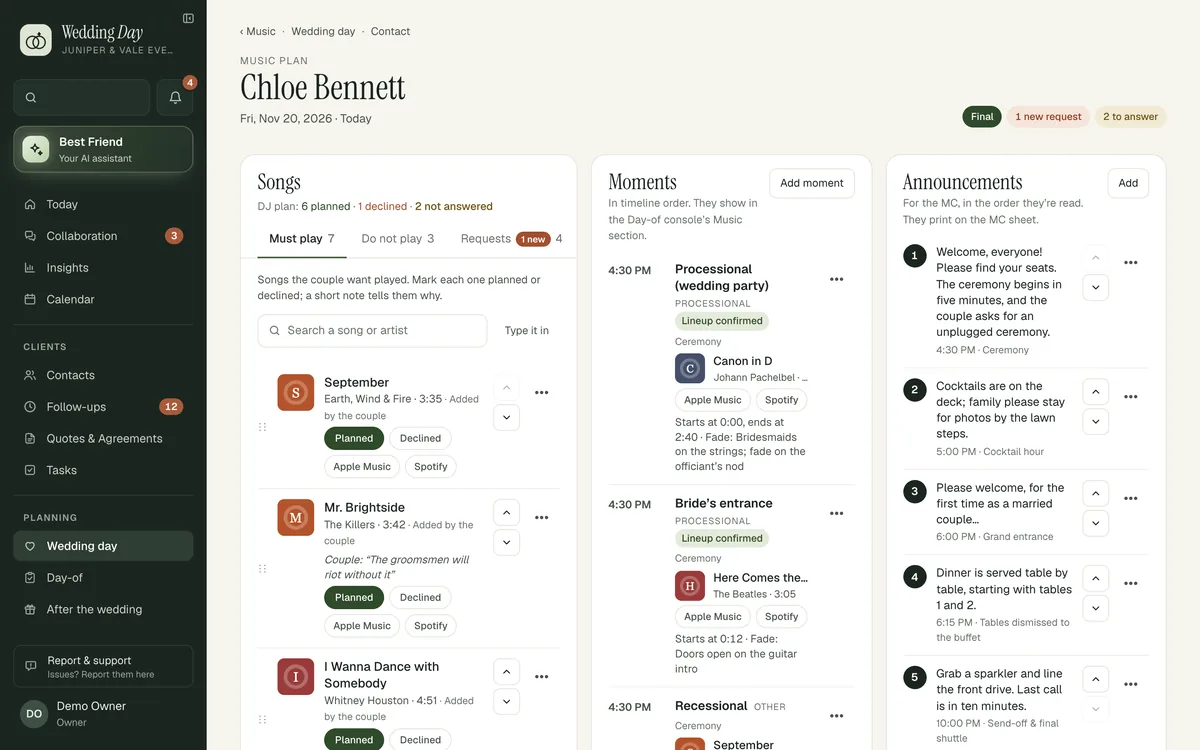
Couples fill in their must-plays, their do-not-plays and the song for each moment themselves. You mark each song planned or declined, with a note.
One record per booking
The quote, the signed agreement, the payment schedule and the music plan sit on the same couple, so the playlist and the paperwork never drift apart.
Every name said right
The MC sheet lists the entrances with how to say each name, the toasts and speakers, and your announcements, ready to print.
Music planning
Every moment has its song
Plan the processional, the entrances, the first dance, the cake cutting and the last song, each with start and end points and fade notes. Moments sit on the wedding’s timeline, so the planner sees them and the Day-of console lists them in order.
- Must-play and do-not-play lists the couple edits
- Print the MC sheet (entrances with pronunciations, toasts, announcements) and the DJ sheet
- Lock the plan when it’s final; the readiness check flags a moment without a song
Guest requests
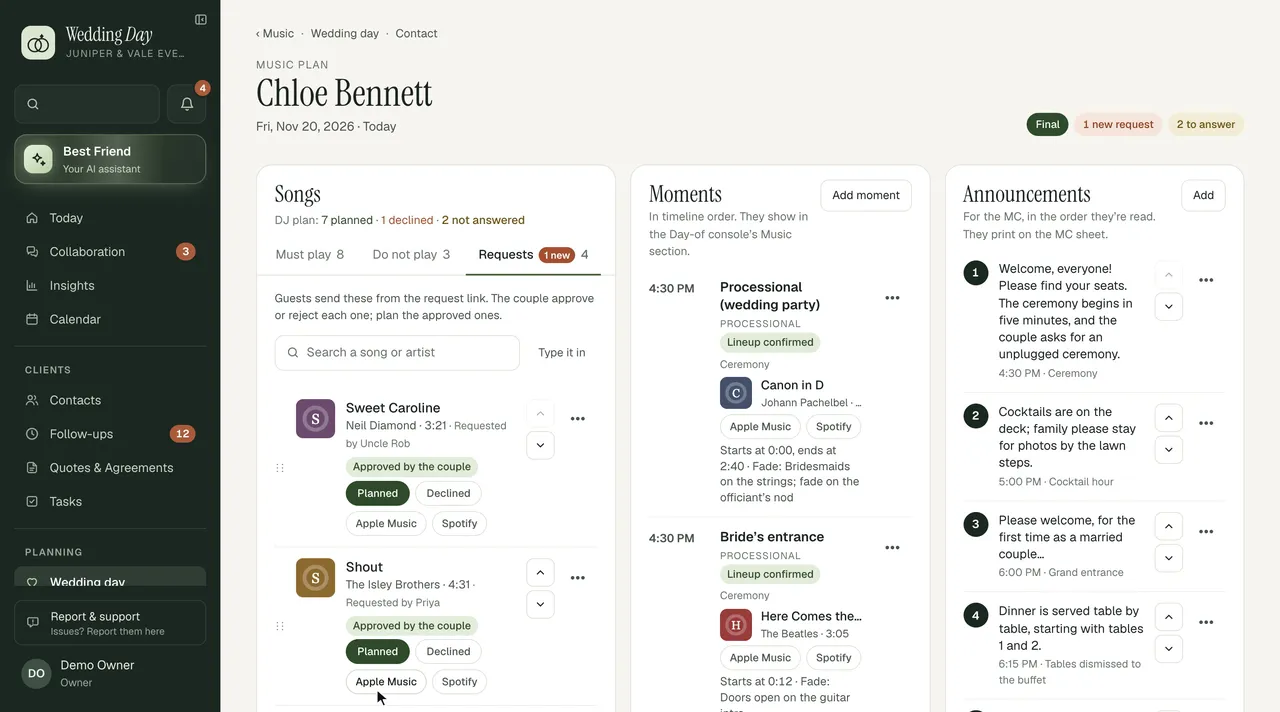
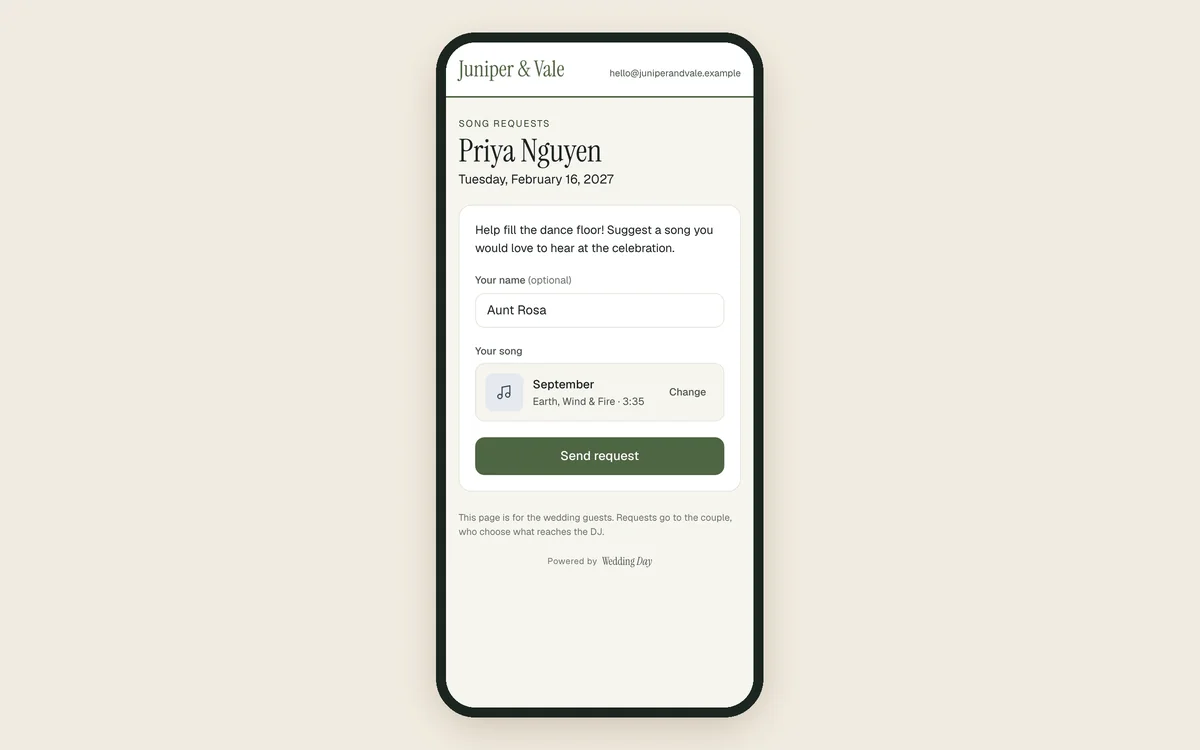
Guests request, the couple decides
Give the couple a song request page to pass on. Guests search for a song and send it with their name; the couple approves the ones they want, and only those reach your plan and the DJ sheet.
Quotes & agreements
Booked without the back-and-forth
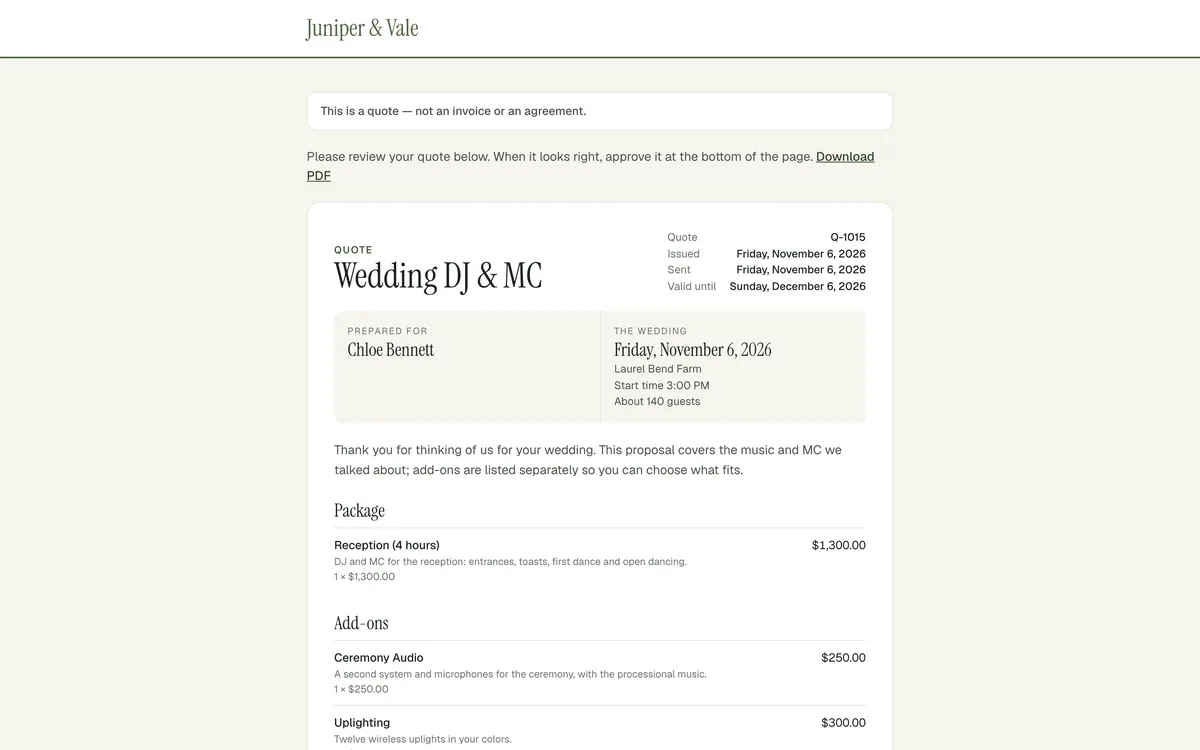
Quote your reception hours, ceremony audio, uplighting and extra hours from your price list. The couple approves online and both partners sign the agreement, which starts from a music and entertainment scope: MC duties, the song lists, power and weather, and the venue’s volume rules.
- Every quote version kept, and every signed copy saved as a PDF
- A starter checklist: song lists two weeks out, name pronunciations and load-in and power a week out
Vendor page
When the planner or venue uses Wedding Day
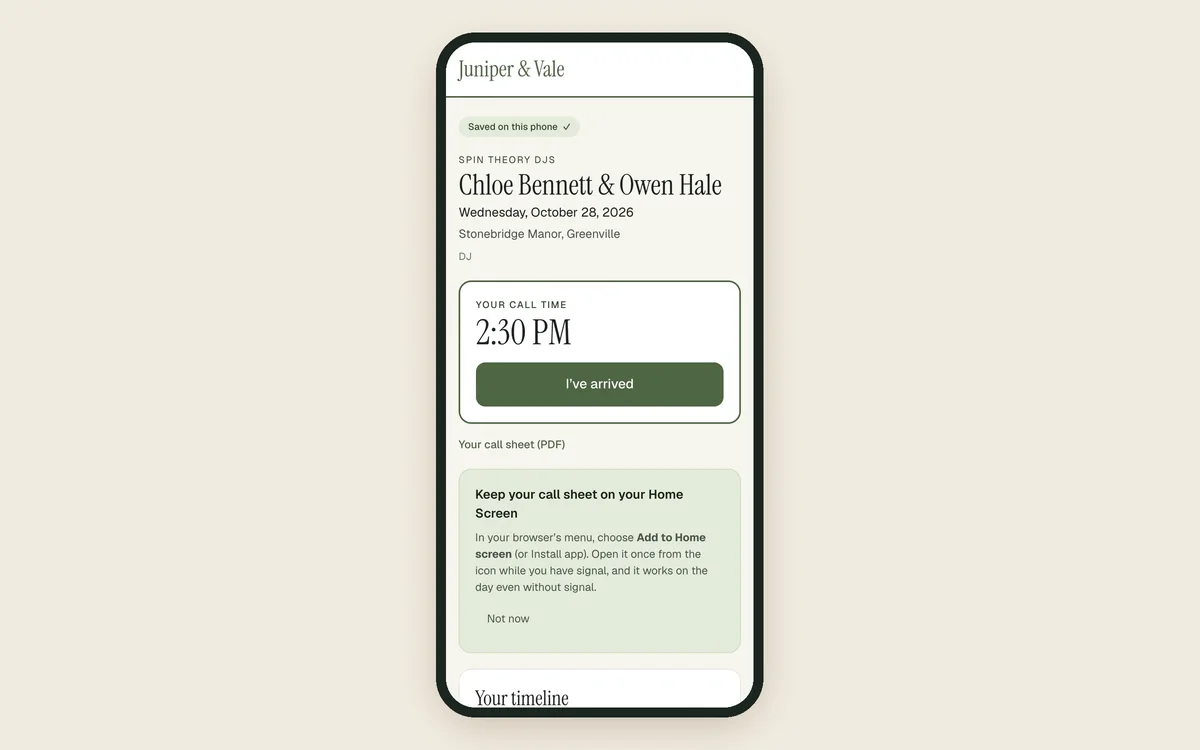
You get a vendor page with your call time, your cues, the key moments, the venue and load-in, plus a call sheet PDF, free with a vendor account. Tap I’ve arrived when you get there; the page is saved on your phone in case there’s no signal.
Payments
Deposits and balances on schedule
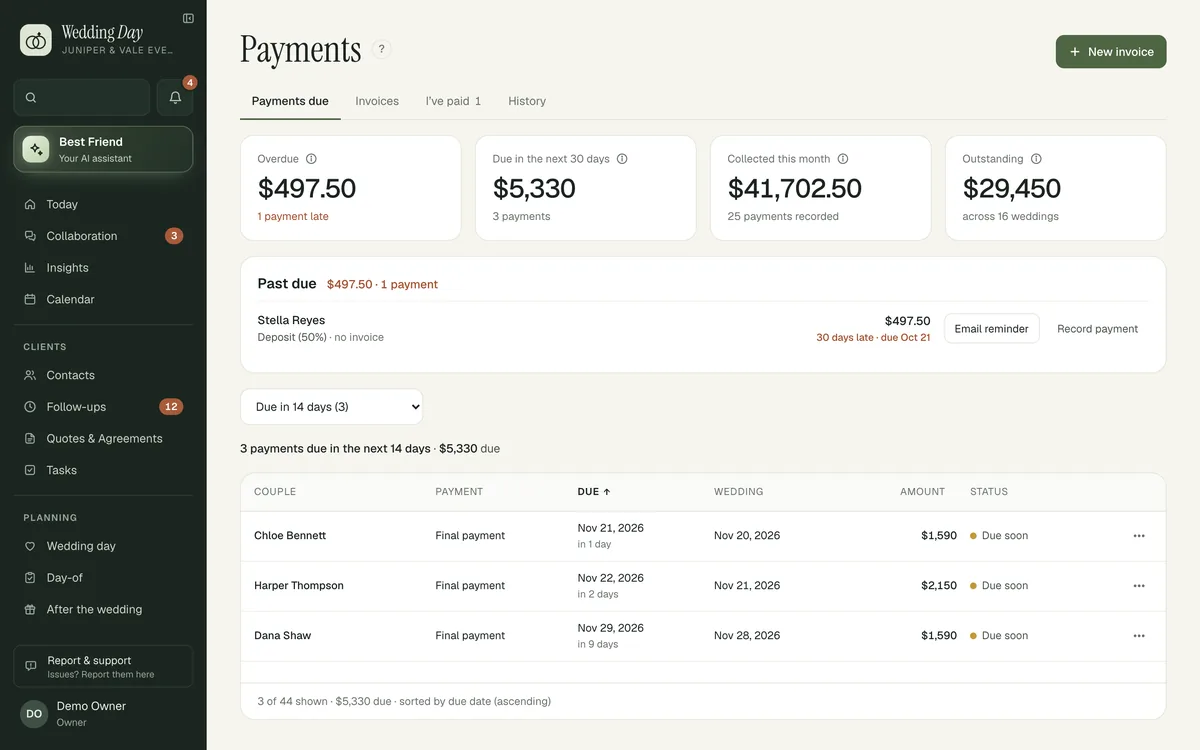
Every booking has a payment schedule with a deposit and installments. Record payments as they arrive and see what’s overdue across every couple, with a reminder drafted for each.
One plan
$45.99/month
Every feature, up to 5 team members. 14 days free, no card. Cancel anytime.
Questions DJs & bands ask
What is the best app for DJ bookings?
One that takes a booking all the way to the dance floor: the quote, a signed agreement, the payment schedule and the couple’s music plan. Wedding Day does all of it for $45.99 a month, with up to 5 people on your team.
How do guests send song requests?
From a request link you share with the couple. Guests send songs, the couple approves or declines each one, and the approved ones join your plan and the DJ sheet.
Can I print an MC sheet?
Yes. The MC sheet has the entrance order with name pronunciations, the toasts and speakers, and the announcements. The DJ sheet has the moments, must-plays, approved requests and do-not-plays.
Does it work for wedding bands?
Yes. Sign up as a DJ or band and your workspace starts with Music. Use the must-play list and the moments for the set, and the same quotes, agreements and payments as a DJ.
Can I bring my clients from another DJ software?
Yes, from a CSV or Excel export or a pasted list. You check a preview before anything is saved and can undo the import for 7 days. Payments and payment schedules aren’t imported.
Updated