
For day-of coordinators
Day-of coordinator software that keeps working with no signal.
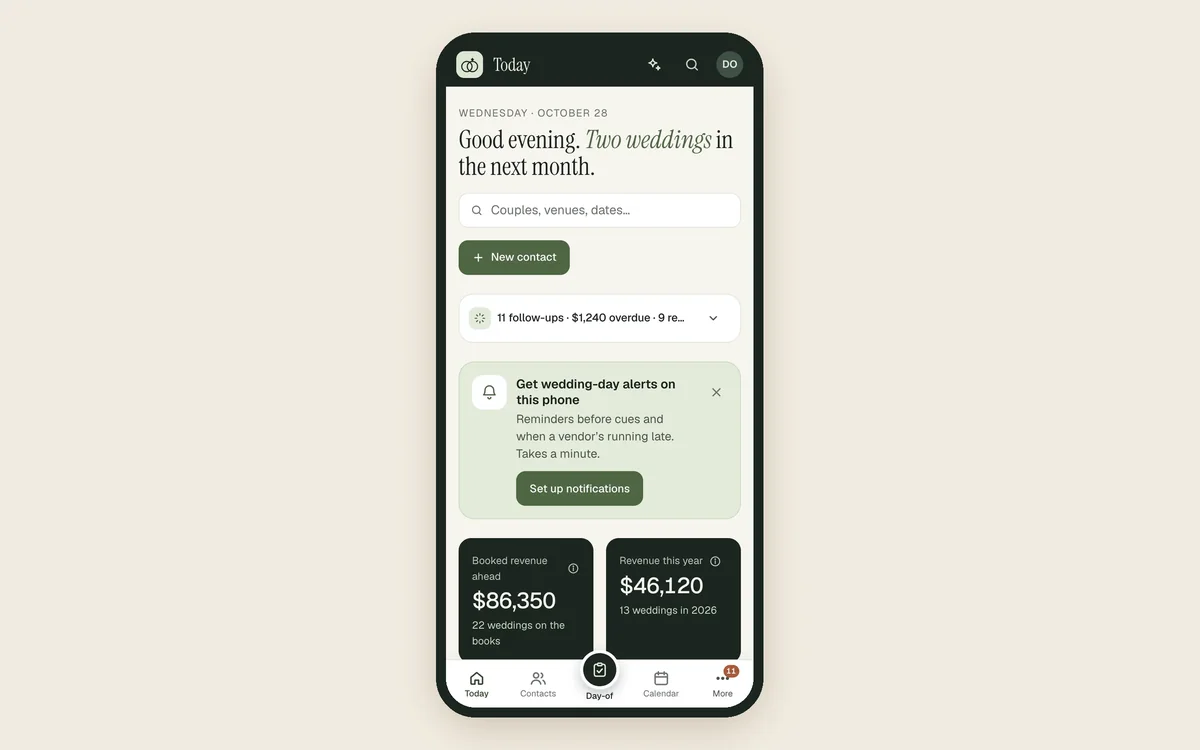
Wedding Day is day-of coordinator software for running the wedding live: the run of show with what’s on now and next, delays your whole team sees, vendor check-ins and alerts for the couple’s people. Before the day, a readiness check lists what’s still missing.
14 days free, no card. Then $45.99/month, everything included.
Why day-of coordinators switch
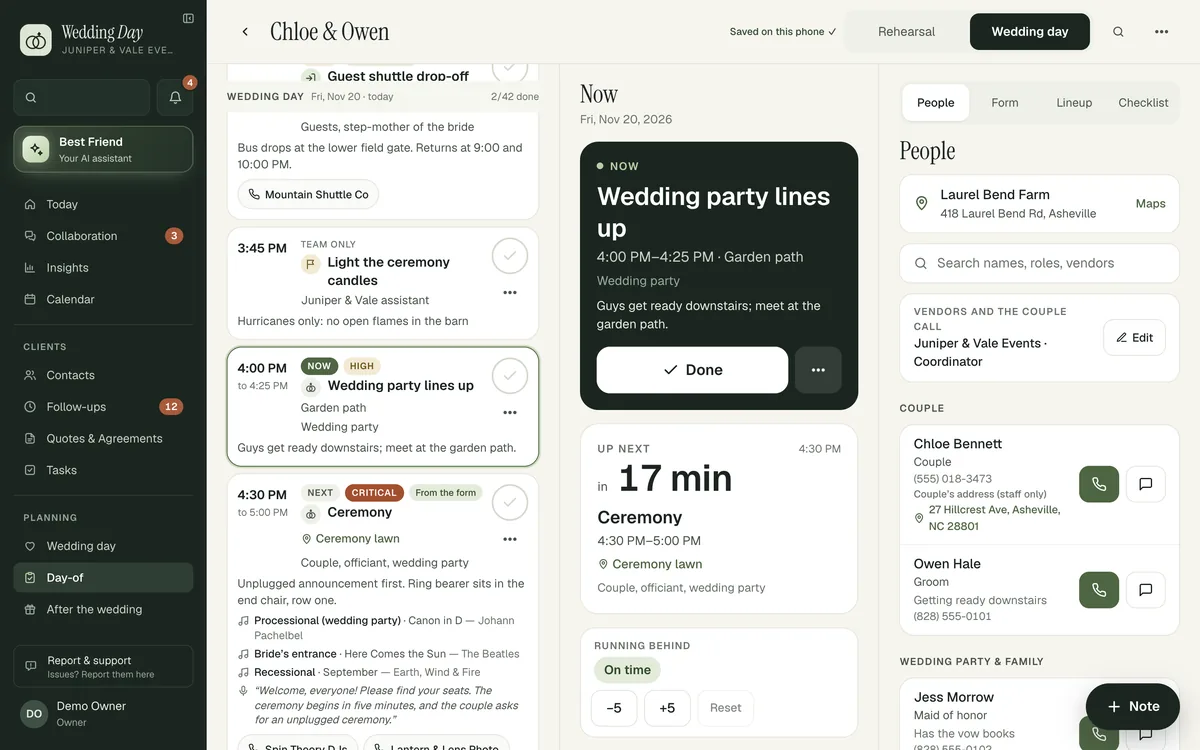
The whole day, on one screen.
Running late, handled once
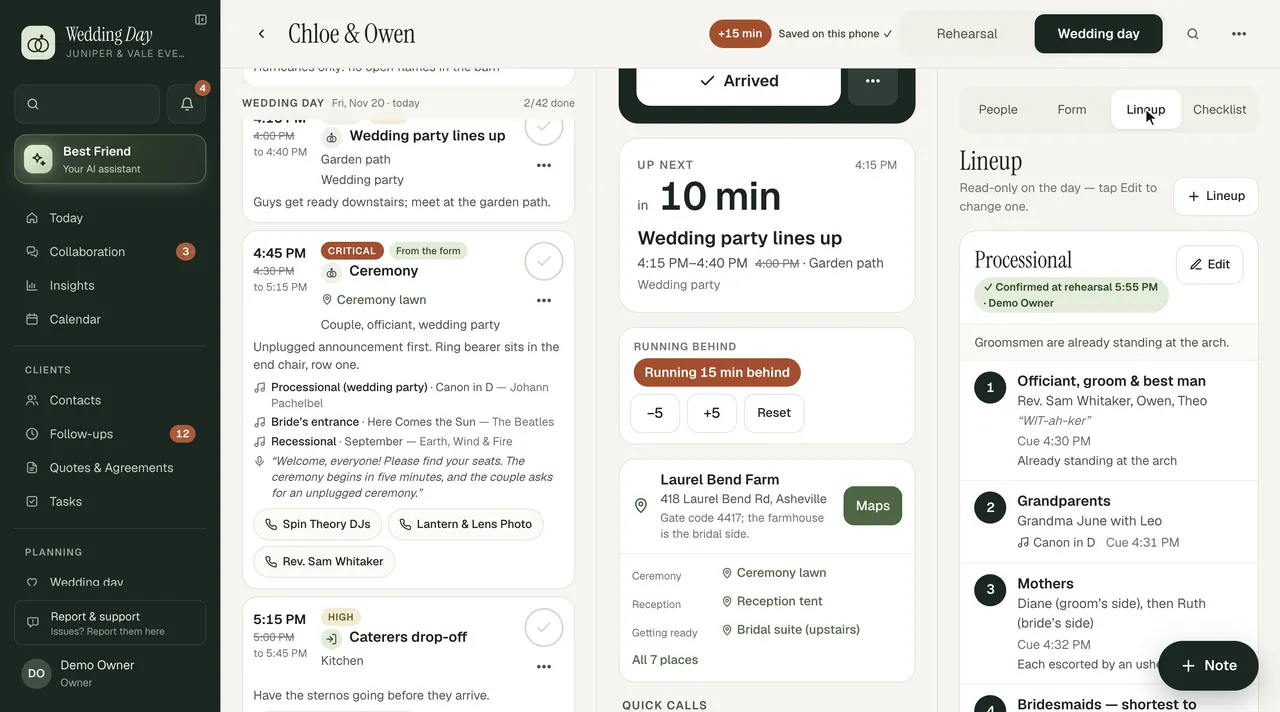
Mark the day as running 10 minutes behind and every open item moves. Your team sees it at once, and the couple’s people get a running-late alert.
Vendors check themselves in
Each vendor has a page with their call time and their part of the day, and taps I’ve arrived when they get there. You see who’s in without making a call.
No signal, no problem
The console, your vendors’ pages and the couple’s run of show are saved on each phone. A check-in made with no signal is sent, with the time it was tapped, once the phone is back online.
Day-of console
Now, next and everyone to call
The console follows the timeline as the day runs: what’s on now, what’s next, one tap to call anyone, and quick notes stamped with the time. Lineups hold the processional with its songs and the family photo groups, and cues and hand-offs go to the right person.
- A rehearsal checklist and a wedding day checklist, filled from the couple’s form
- Starter rows for arrivals, setup and teardown
- Music moments and floral delivery shown in the run of show
Readiness
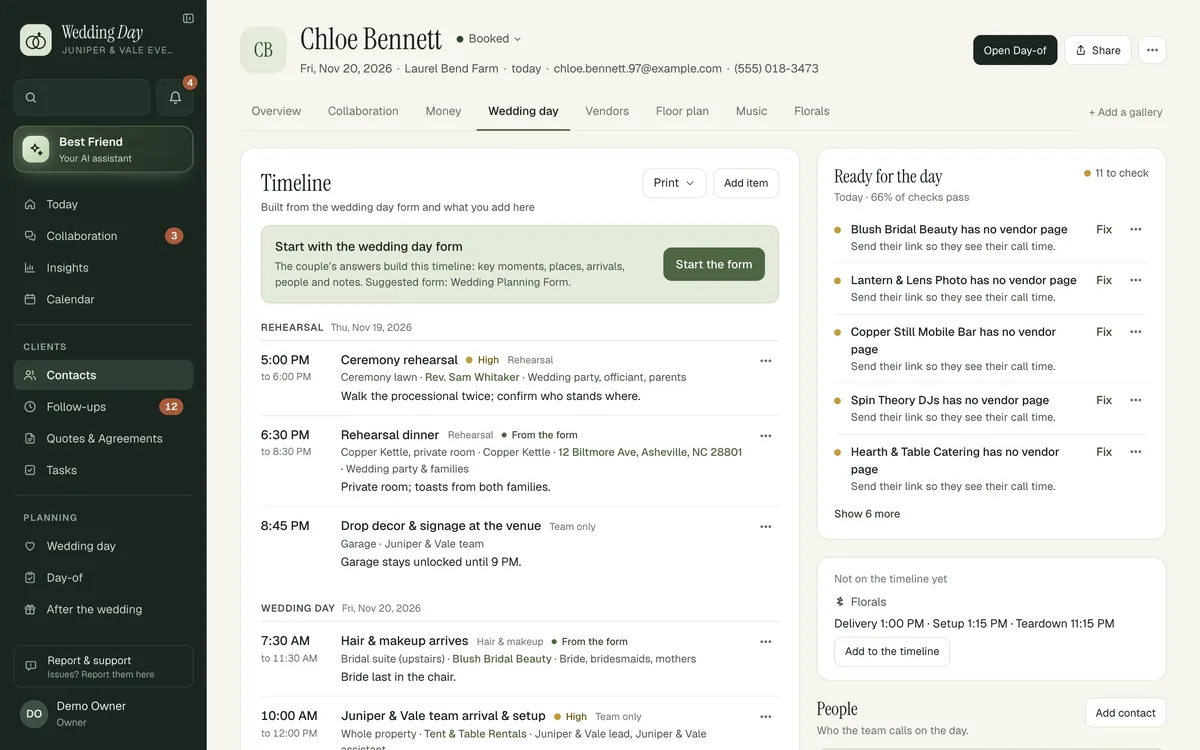
Know what’s missing a week out
Before each wedding, a readiness check lists the gaps: no ceremony on the timeline, a vendor without a call time, a vendor who never opened their page, guests without a table, no family photo list. Your phone reminds you seven days and two days before.
- Each gap links to the place to fix it
- Waive a check that doesn’t apply, with a note
Vendor pages
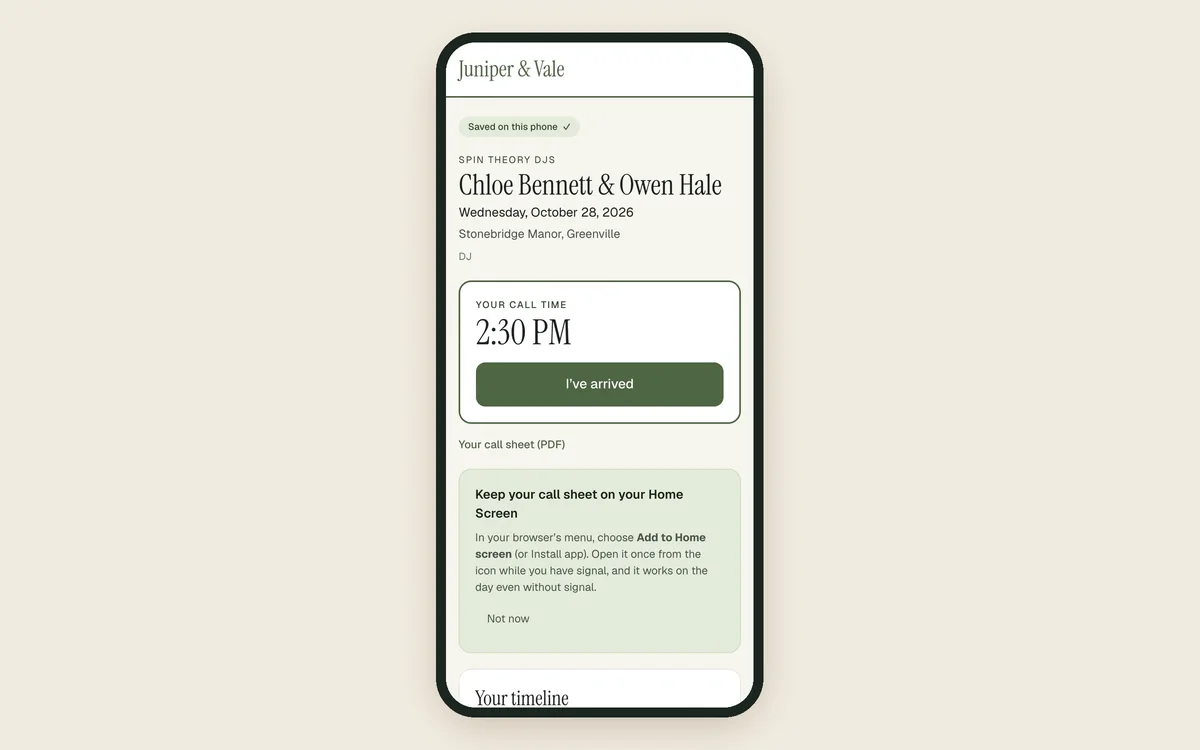
A call sheet that stays current
Every vendor gets a private page with their call time, their part of the day, the key moments, the venue, arrival notes and a floor plan for setup, plus a call sheet PDF for the van. They sign in once with a free vendor account and check in from it on the day.
Alerts
An alert on every phone that needs one
Your team gets a push when the day changes, a vendor is late or the ceremony is minutes away. The couple chooses who hears the day live (the two of them, and family and friends with Premium): the morning of, key moments ten minutes ahead, the ceremony starting, running late and schedule changes.
- The couple’s people never see team-only items, phone numbers or vendor issues
Taking over the plan
Step in without retyping the plan
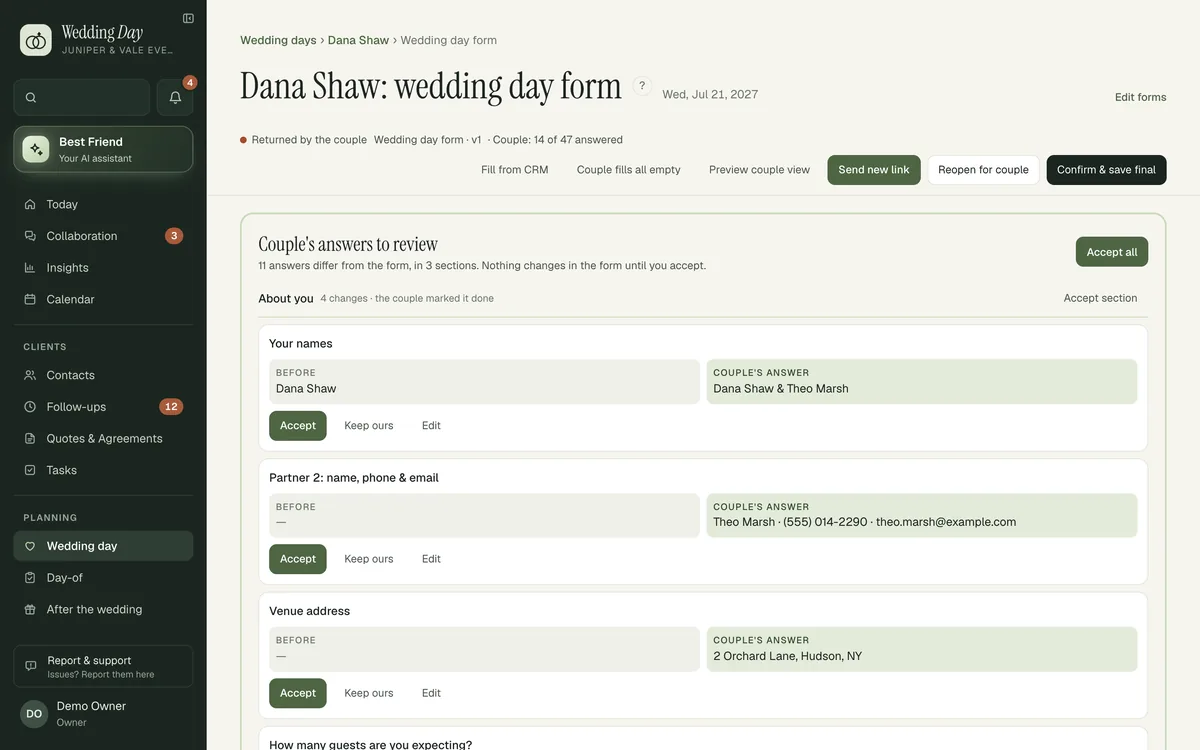
When a couple who planned in Wedding Day invites you, their plan appears under Shared with you, and one click adds them to your clients with the plan filled in. Otherwise, send your wedding day form before the final walkthrough; once you confirm it, it fills the timeline, the checklists and the vendor list.
One plan
$45.99/month
Every feature, up to 5 team members. 14 days free, no card. Cancel anytime.
Questions day-of coordinators ask
What does a day-of coordinator usually do?
They take over in the final weeks: confirm every vendor and arrival time, build the run of show, walk the venue, run the rehearsal, then run the wedding day so the couple and their families don’t have to. Wedding Day holds each step, from the form to the vendor check-ins.
What is the best software for day-of coordinators?
Look for what matters on the day: a live timeline that shifts when you run late, vendor call times and check-ins, alerts, and something that still works with no signal. A shared document or spreadsheet stops at the printed timeline; Wedding Day runs the day itself.
What if there’s no signal at the venue?
Day-of keeps working. Your team, your vendors and the couple keep the run of show saved on their phones, and a vendor’s check-in with no signal is sent, with the time they tapped, once they’re back online.
Do vendors need an account?
A free one. Vendors sign in with a free Wedding Day vendor account the first time they open their page, and their phone stays signed in through the wedding. Nobody pays but you.
How much does day-of coordinator software cost?
Wedding Day is $45.99 a month for your business, with every feature and up to 5 people. The first 14 days are free without a card, and the readiness check warns you if your trial would end before a booked wedding.
Updated