
For wedding photographers
The CRM for wedding photographers, from inquiry to album.
Wedding Day is a CRM for photographers that also delivers the photos: a quote the couple approves, an agreement both partners sign online, the payment schedule, the timeline and shot list, then the gallery, edit requests and album proofs, all on one couple’s record.
14 days free, no card. Then $45.99/month, everything included.
Why photographers switch
One place, not a CRM plus a gallery service.
Galleries that take requests
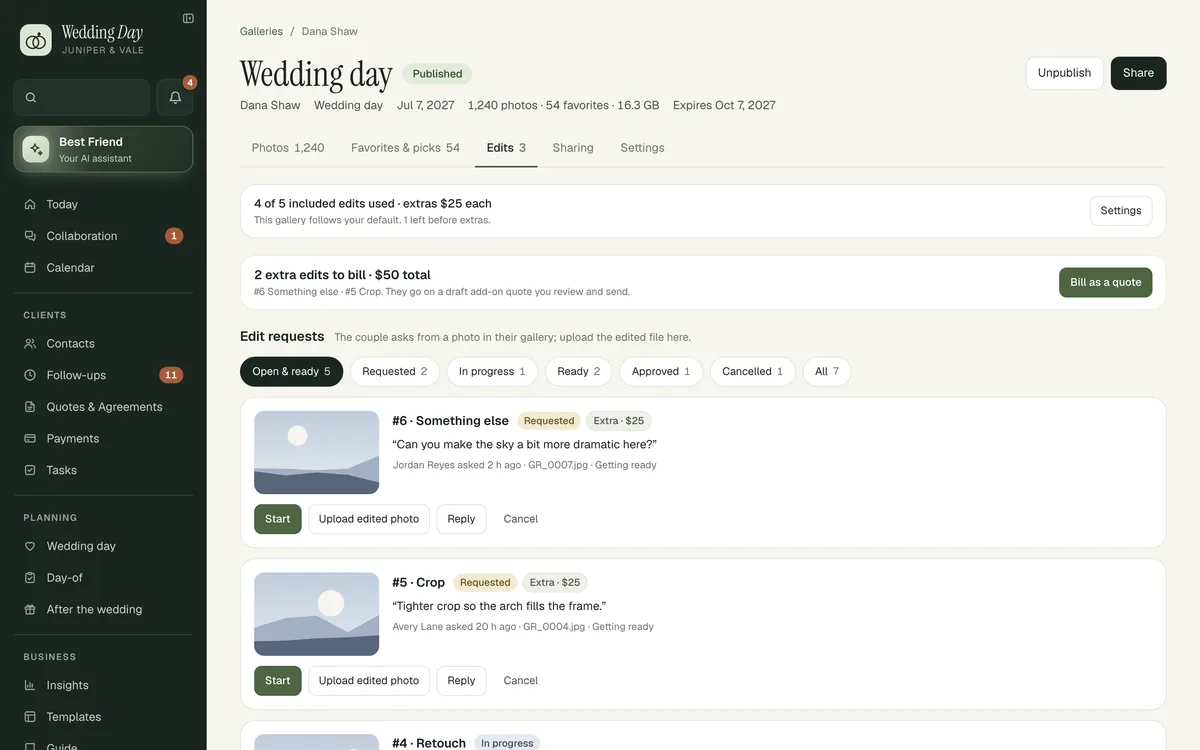
Couples ask for an edit on the photo itself. You upload the new version, they see a before and after, and edits past the ones you include become an add-on quote.
Booked in one link
The couple approves your quote, then signs the agreement and sees the invoice on the same private link. The payment schedule follows what they booked.
The shot list comes to you
Your wedding day form asks for getting-ready times, family groupings and must-have shots, and the couple adds to a must-have list you both see, well before the day.
Galleries & edits
Deliver the gallery, then handle edits inside it
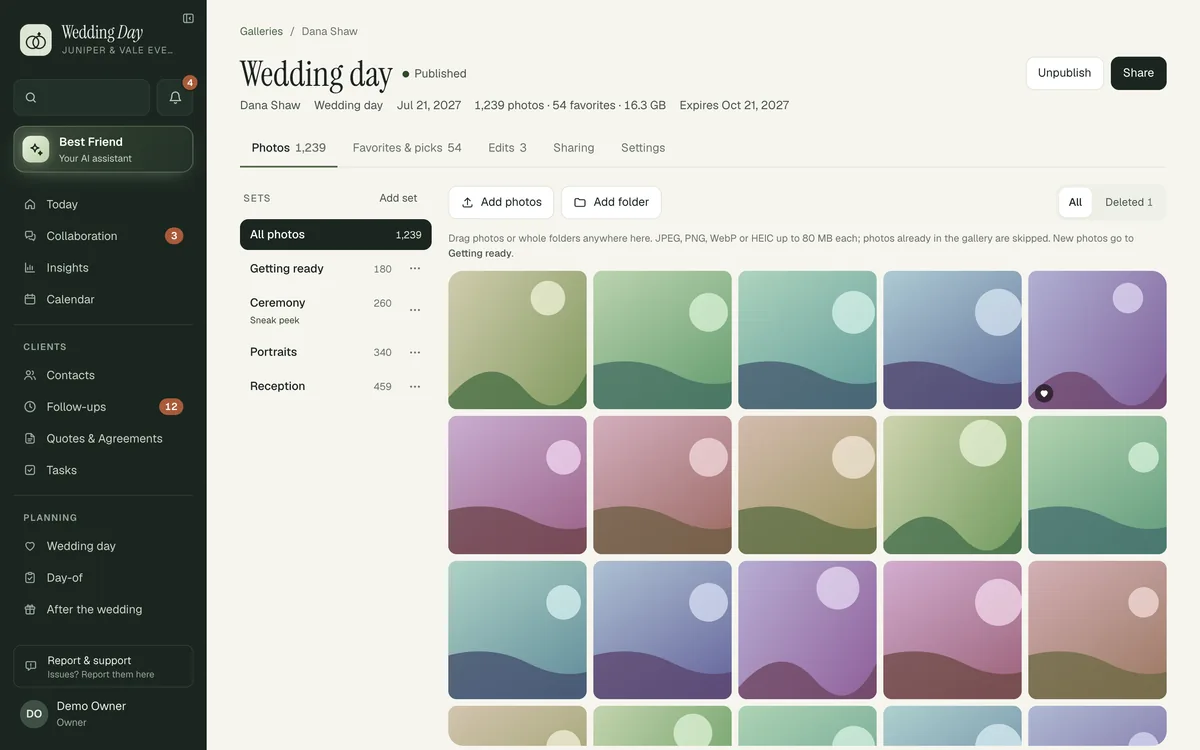
Publish the whole wedding in sets, release a sneak peek first, and let the couple pick favorites. After delivery, each edit request sits on the photo with its own thread and moves from Requested to In progress to Ready; the original is always kept.
- A number of edits included per gallery, then paid extras at your price
- Choose your look: post a few photos in each style and the couple picks one
- Album proofs the couple approves for print or sends back with a note, version by version
Quotes & agreements
From inquiry to booked in one link
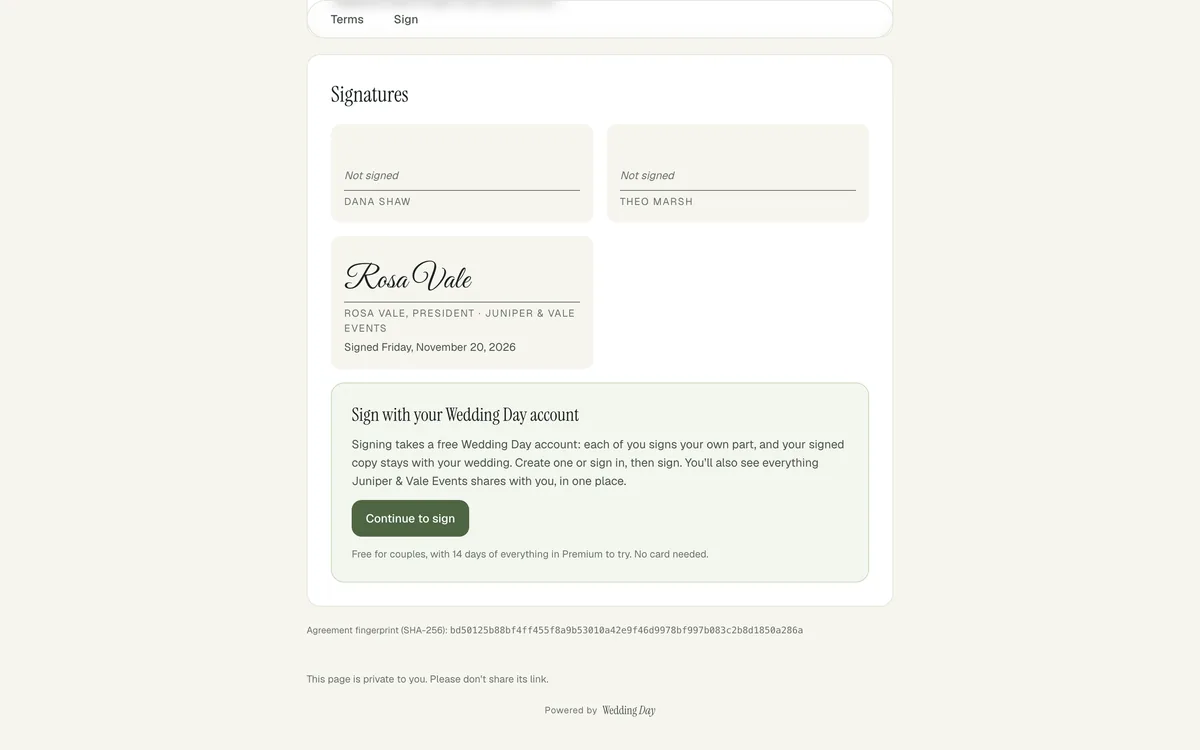
Quote from your own packages: coverage hours, a second shooter, an engagement session, an album. The couple approves the quote online, both partners sign the agreement, and you hear the moment they do.
- A starter agreement for photography (coverage, the shot list, delivery, copyright and a personal-use license), edited to your terms
- Every quote version kept, so a revision never overwrites what was approved
- Every signed copy saved as a PDF
Payments
Retainer, then the balance, on schedule
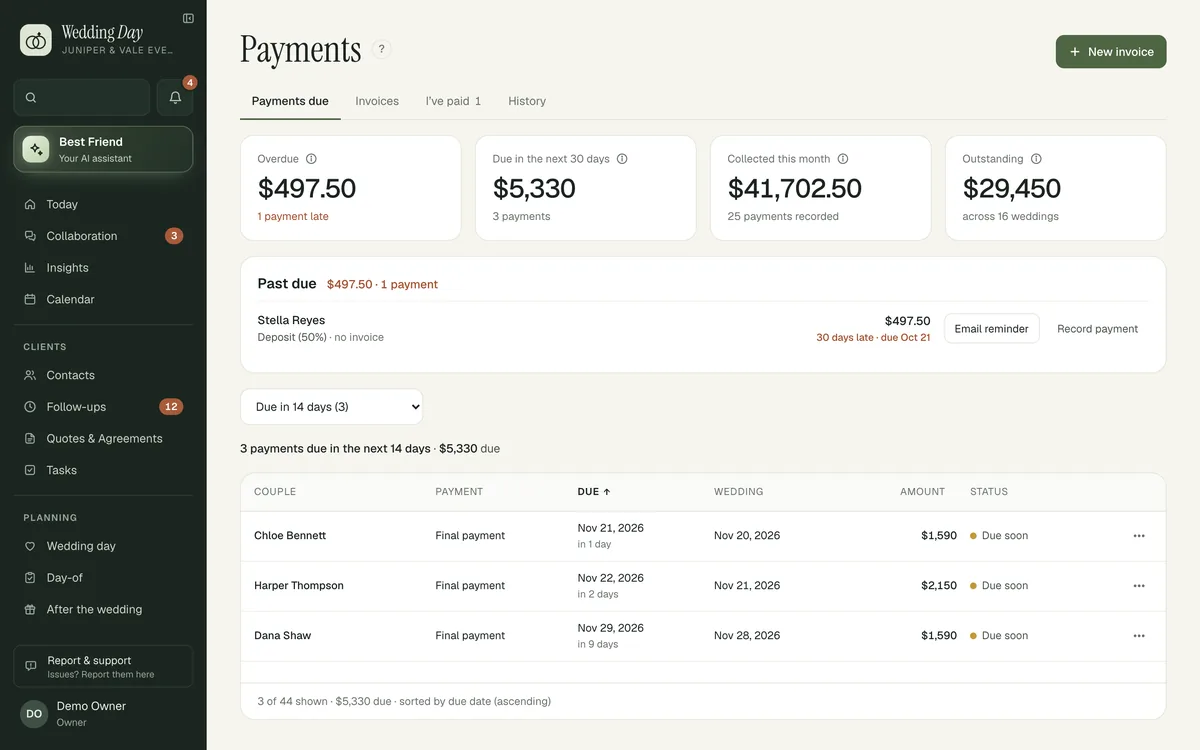
Every booking has a payment schedule with a deposit and installments. Record payments as they arrive and see what’s overdue across every couple, with a reminder drafted for each.
- Costs and profit per wedding, for the owner only
- Up to 5 people on your team at no extra cost
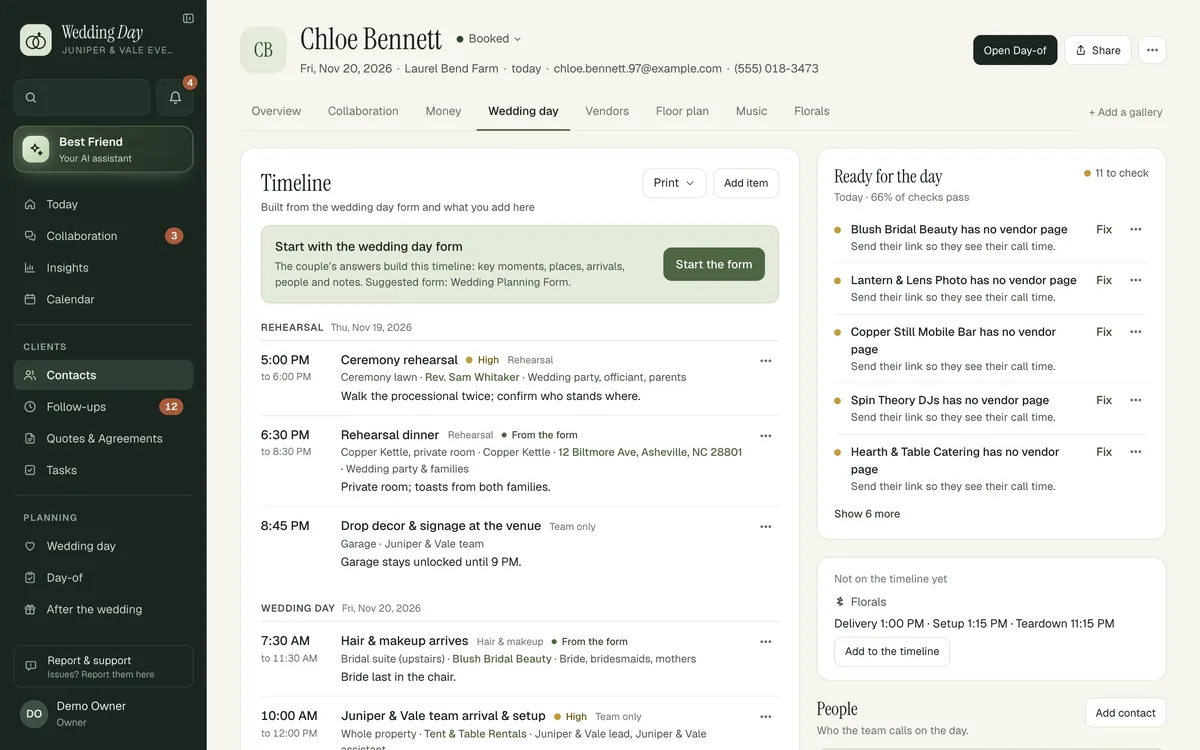
The wedding day
The timeline you shoot from
The couple’s confirmed form fills the timeline: getting ready, the first look, the ceremony, family photos. On the day, the Day-of console shows what’s on now and what’s next, and keeps working with no signal.
- Family photo groups as a list you confirm before the day
- When the planner uses Wedding Day too, they can share their timeline with you
Collaboration
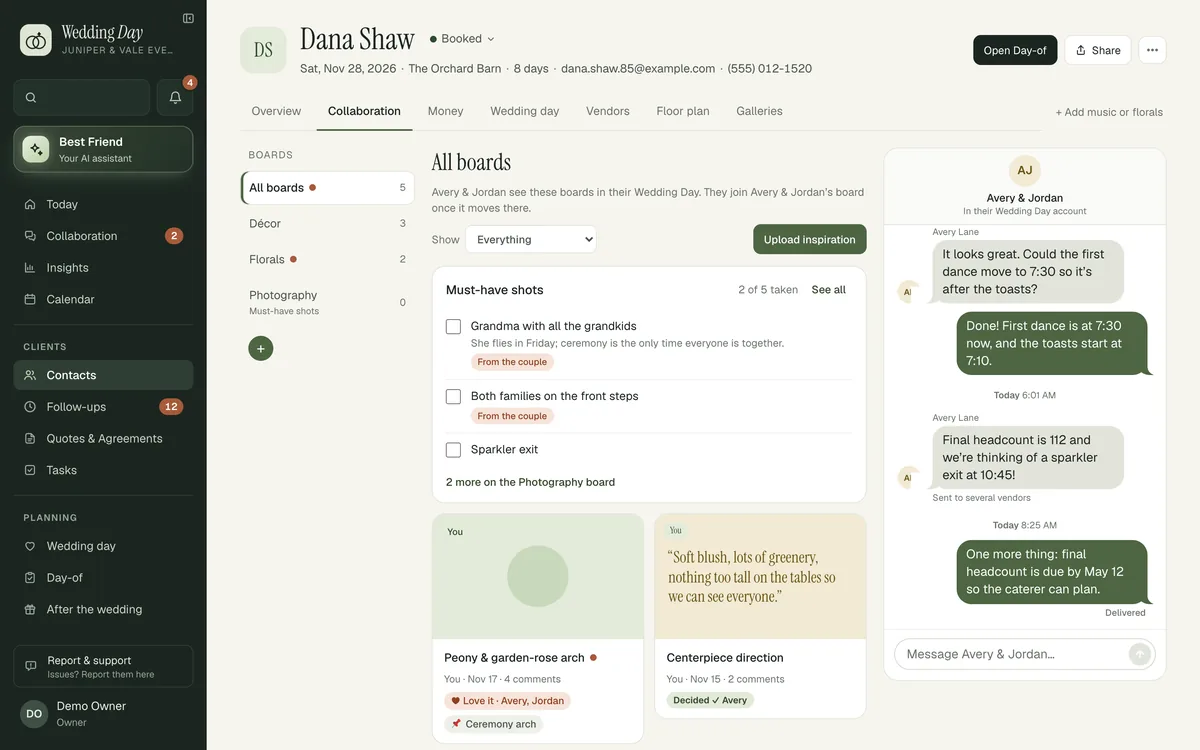
Must-have shots you can both see
Each couple’s Collaboration space has a Photography board for engagement session and album ideas, and a must-have shots list you both write. You tick shots off; the couple can add to it any time, free.
One plan
$45.99/month
Every feature, up to 5 team members. 14 days free, no card. Cancel anytime.
Questions photographers ask
What is a CRM for photographers?
A CRM (client relationship manager) keeps every client in one place: inquiries, quotes, agreements, invoices, payments and messages. For wedding photographers it should also hold the timeline and the shot list; Wedding Day delivers the gallery too.
What software do most wedding photographers use?
Usually three kinds: an editor, a gallery service for delivery, and a CRM such as HoneyBook, Dubsado or Studio Ninja for bookings. Wedding Day covers the bookings and the delivery. It doesn’t edit photos or sell prints.
How much photo storage is included?
250 GB per workspace at no extra cost. Galleries stay up for 12 months after you publish them unless you choose another date, and couples see a reminder to download before theirs expires. Galleries take JPEG, PNG, WebP and HEIC files, not RAW or video.
Do couples need an account to see their gallery?
No. The gallery opens from its link, and guests can have their own link with an optional PIN and a watermark. To ask for edits, pick a look or approve album proofs, the couple makes a free Wedding Day account in the same step.
Can I import my clients from HoneyBook, Dubsado or Tave?
Yes, from a CSV or Excel export or a pasted list. You check a preview before anything is saved and can undo the import for 7 days. Payments and payment schedules aren’t imported. Comparing tools? See HoneyBook alternatives.
Is there a free CRM for photographers?
Wedding Day is free for 14 days with no card, then $45.99 a month for your business, with up to 5 people. Couples never pay to see their gallery or sign your agreement.
Updated